7 Audio Setup Mistakes That Are Ruining Your Sound (And How to Fix Them)
That moment when you realise the bass has been set to maximum for three years. Most audio problems are fixable in under five minutes.
There's a particular kind of frustration that comes from spending serious money on audio equipment and feeling like something isn't quite right. The bass is too boomy. The vocals get lost when things get busy. The soundbar sounds like it's coming from under the TV rather than filling the room. Something is off — but nothing looks obviously wrong.
In most cases, the equipment itself isn't the problem. The setup is. Over years of recommending and reviewing audio equipment, certain mistakes appear again and again in UK homes — from newly set-up soundbars to established hi-fi systems that have quietly drifted from their best. Most of these mistakes are eminently fixable, often without spending a penny.
In this article
| # | The Mistake | How common | Ease of fix |
|---|---|---|---|
| 1 | Soundbar placed in a cabinet or behind glass | Very common | Instant |
| 2 | Subwoofer stuck in a corner — always | Common | Easy |
| 3 | TV app audio set to the wrong output format | Extremely common | 2 minutes |
| 4 | Skipping room calibration or running it badly | Common | Easy |
| 5 | Excessive bass boost on the equaliser | Common | Instant |
| 6 | Streaming at low quality and blaming the speakers | Common | Easy |
| 7 | Listening at too low a volume for the speaker type | Common | Instant |
The 7 most common audio setup mistakes
A soundbar needs unobstructed air in front of it to project sound into the room. Placing it inside a TV unit, behind a glass panel, or with the front blocked by anything — even a decorative object — fundamentally changes what you hear. The glass or cabinet walls reflect and absorb frequencies unevenly, dialogue becomes recessed, and the sense of width that makes a good soundbar impressive simply disappears.
This happens because TV cabinet designs evolved before soundbars became mainstream. Many units have a dedicated shelf for audio equipment that seems purpose-built — and then enclose the front with a glass or wooden door. The irony is that this placement often makes an expensive soundbar sound worse than a basic TV speaker sitting in the open.
Corners amplify bass. Place a subwoofer in a corner and you get more low-frequency output — which sounds impressive in a showroom demonstration but frequently results in overblown, one-note bass that blurs the rest of the soundfield. The room's corner essentially acts as a bass trap in reverse, reinforcing certain frequencies while muddying others.
The corner placement recommendation persists because it can help compensate for a weak or underpowered subwoofer. For any decent-quality sub — including those in the Sonos Sub 4 or Samsung Q990F kit — corner placement usually does more harm than good.
This is arguably the single most common reason a Dolby Atmos soundbar doesn't sound like a Dolby Atmos soundbar. The TV or streaming device's audio output settings are either outputting compressed stereo to the soundbar (even though both devices support spatial audio) or outputting a format the soundbar can't decode, causing it to fall back silently to a reduced audio mode.
It happens because the default audio output settings on most smart TVs and streaming devices are either conservative (set to PCM stereo for compatibility) or incorrect for the specific soundbar connected. The TV and soundbar are connected. Everything looks fine. But the audio is being quietly degraded every time you watch something.
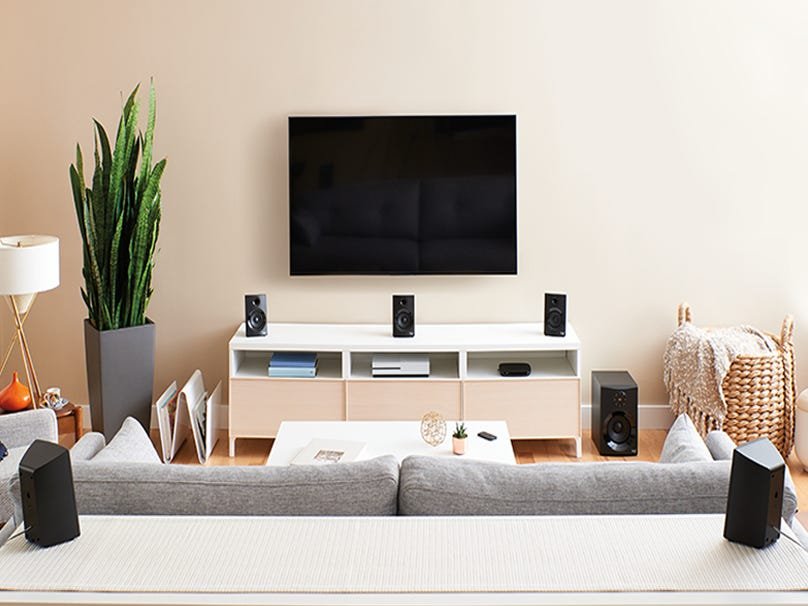
Room calibration exists because every room sounds different. The same speaker system in a small carpeted room and a large tiled kitchen will sound radically different without any EQ correction. Most premium soundbars and amplifiers include automatic calibration tools specifically to address this — Sonos Trueplay, Samsung SpaceFit Sound Pro, Sony Auto-Calibration, Anthem ARC and others.
The most common calibration mistake is running the measurement while sitting in your listening position rather than moving around the room as instructed. Sonos Trueplay, for example, specifically requires you to walk around the room and move the microphone at different heights and positions. Sitting still in one chair gives the system a single data point rather than the room characterisation it needs.
The instinct to boost bass is understandable: more bass sounds like more audio presence, more excitement. At low-to-moderate levels, this isn't a problem. But heavy bass boost in the 60–120Hz range can overwhelm midrange frequencies — precisely the range where vocals and speech information lives. The consequence is that dialogue appears to have disappeared into a cloud of low-frequency energy, and music loses its sense of space and dynamics.
This is particularly noticeable on standalone soundbars where the bass drivers are physically close to the midrange drivers. Boosting bass on the EQ is increasing the output of the same drivers that need to reproduce dialogue clearly.
Premium speakers are unusually good at revealing the limitations of compressed audio. A Sonos Era 300 playing a 128kbps MP3 will often sound worse than the same speaker playing a lossless FLAC or high-quality streaming audio — not because the MP3 is broken, but because the speaker is accurate enough to make the compression artefacts clearly audible: harshness in cymbals, smearing of transients, a vagueness in the stereo image.
Many streaming services default to lower quality settings, particularly on mobile or when the user hasn't actively configured audio quality in the app settings. Spotify defaults to "Normal" on mobile unless changed. Apple Music requires "Lossless Audio" to be manually enabled. Amazon Music similarly defaults to HD rather than Ultra HD unless set explicitly.
Most loudspeaker drivers are engineered to perform within a specific power range. At very low volumes, some drivers — particularly woofers and passive radiators — don't move enough air to produce well-balanced low-frequency response. The bass physics simply requires a certain minimum excursion to work as intended.
This is most pronounced with hi-fi floorstanding speakers and quality bookshelf speakers, and less so with most soundbars and active speakers with DSP-controlled drivers. The phenomenon is related to the Fletcher-Munson equal-loudness contours, which describe how human hearing perceives bass and treble as relatively quieter at low absolute volumes — meaning even a perfectly flat speaker sounds thin and bright when played very quietly.
Why these mistakes happen — and why they persist
The interesting thing about this list is that none of these mistakes involve missing knowledge about complex audio engineering. They're all caused by reasonable-seeming choices — placing the soundbar on the dedicated shelf designed for it, turning up bass because more low end sounds more impressive, skipping calibration because the manual is unclear about why you need to walk around the room.
Audio equipment instruction manuals are, in general, poor at explaining the why behind setup recommendations. They list the steps without explaining that polarity consistency prevents bass cancellation, or that corner placement amplifies specific frequencies at the expense of others. Without context, it's impossible to know which details are critical and which are optional.
The other factor is that many of these mistakes produce results that are genuinely acceptable — not broken, not obviously wrong, just not as good as they could be. A soundbar in a cabinet sounds fine as background audio. Bass-boosted sound is energetic and engaging. Most people never compare their setup to the same equipment configured correctly, so there's no obvious reference point for what they're missing.
When it really is time to upgrade
After working through all seven fixes, if the system still sounds unsatisfying, it's worth asking whether the equipment itself is the limiting factor.
The most impactful single upgrade for most systems is usually the lowest-performing component — often the soundbar in an otherwise capable TV and streaming setup, or the amplifier in a speaker-focused system. A capable soundbar at £999 (Sonos Arc Ultra), paired correctly with a modern TV and a good streaming source, will sound better than an entry-level soundbar surrounded by reference-grade supporting equipment.